
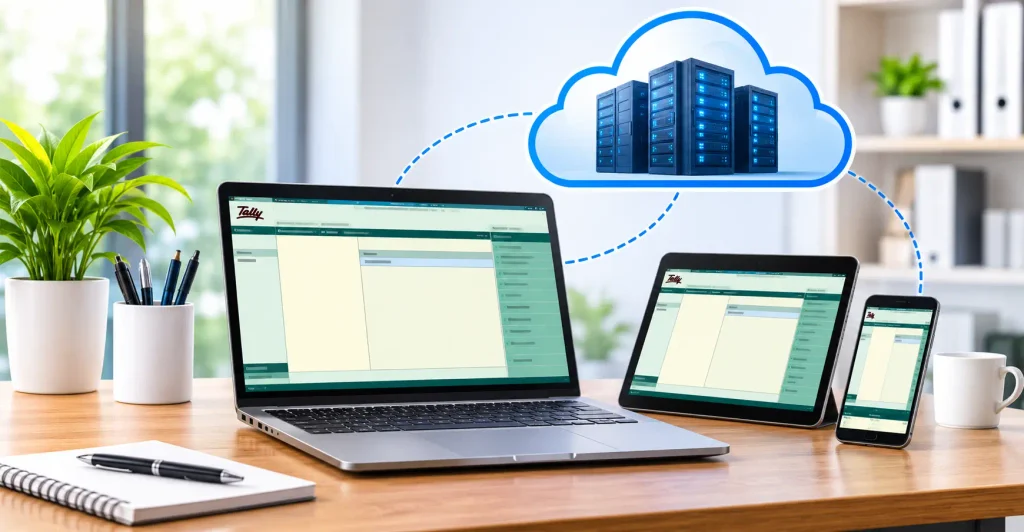
If you run a small shop, a consultancy, or a one-person trading firm, your accounts probably live on a single computer. That works until the machine crashes, you travel, or your accountant needs a file at 9 p.m. Tally on Cloud Single User solves this by placing your Tally software on a secure remote server, so you can open your books from any laptop, tablet, or phone with an internet connection.
You keep the same familiar Tally screens. You just stop depending on one office PC. This guide explains how it works, what it costs you in effort, what to look for in a provider, and how to get started without technical headaches.
What Is Tally on Cloud for a Single User?
Tally on Cloud for single user means one licensed user runs Tally on a remote server instead of a local computer. The software, your company data, and backups all sit in a data center. You connect through a remote desktop session and work as if Tally were installed on your own device.
Think of it as renting a powerful, always-on computer that has Tally pre-installed. You log in, do your billing and bookkeeping, and log out. Your data stays on the server, not on your laptop.
This setup suits freelancers, proprietors, small traders, and professionals like chartered accountants or GST practitioners who manage their own books.
Tally Prime vs Tally ERP 9 on the Cloud
Both versions can be hosted. Tally Prime Single User on Cloud is the better choice for most new users because it offers a cleaner interface, faster navigation, and regular updates. Tally ERP 9 Single User on Cloud still suits people with older company files or established habits, but it is worth planning a move to Prime over time.
Why Small Businesses Are Moving to Cloud-Based Tally Software
Cloud-based Tally software has become popular because it removes problems small businesses face daily.
- Work from anywhere: Check ledgers from home, a client’s office, or while traveling.
- No hardware worries: A failed hard drive no longer means lost data.
- Automatic backups: Good providers back up your data every day.
- Lower upfront cost: You skip buying a high-end computer or server.
- Easier collaboration: Share data with your CA without emailing large backup files.
- Faster recovery: If your laptop is stolen, your accounts are untouched.
Here is a simple example. Ravi runs a small hardware store in Gurugram. His billing computer broke during GST filing week. Because his Tally sat on a cloud server, he logged in from his phone’s hotspot and a borrowed laptop, and finished the return on time. Without the cloud, he would have waited days for repairs.
Key Features of Tally Single User Cloud Hosting
Not every provider offers the same package. When comparing Tally Single User Cloud Hosting plans, look for these core features:
- Dedicated or isolated environment so your data is never mixed with others.
- Pre-installed Tally (Prime or ERP 9) with the right license support.
- Daily automated backups with restore options.
- Fast SSD storage so large company files open quickly.
- Printing and file transfer between your device and the server.
- Technical support by phone, chat, or email.
- High uptime commitment, ideally 99.9% or better.
Remote Access Options
Tally remote access for single user is usually delivered through Remote Desktop (RDP) or a lightweight client app. Both let you see and use the server like a normal Windows desktop. Many providers also support mobile access, though a laptop gives the most comfortable experience for heavy data entry.
Is Your Data Safe? Secure Tally Cloud Hosting Explained
Security is the first worry most owners voice, and it is fair. Your accounts hold sensitive financial details, so choose secure Tally cloud hosting with these safeguards:
- Encrypted connections between your device and the server
- Firewall and antivirus protection on the server
- Strong password policy and optional two-factor authentication
- Regular security patches for the operating system
- Data center certifications and physical security
- Clear backup and recovery policy in writing
A reputable Tally cloud server for business should also tell you where your data is stored and who can access it. If a provider is vague about this, move on.
You can add your own layer too. Use a unique password, avoid logging in from public Wi-Fi, and log out when you finish.
Single User vs Multi-User on Cloud: Which Do You Need?
A single-user plan fits if only one person edits the books. If your accountant, billing clerk, and you all need to work at the same time, a multi-user setup makes more sense.
Many small businesses start with single user and upgrade later. Ask your provider whether switching plans is easy, so you are not locked in.
How to Set Up Tally on Cloud for Single User: Step by Step
Getting started is simpler than most people expect.
- Check your license. Confirm whether you own a Tally Prime or ERP 9 single-user license, and ask the provider how licensing works on their servers.
- Pick a provider. Compare Tally cloud hosting services on price, support quality, backups, and reviews from real customers.
- Choose a plan. Select the version, storage, and billing cycle that match your needs.
- Receive login details. The provider shares a server address, username, and password.
- Connect remotely. Use Remote Desktop or the provider’s app to log in.
- Move your data. Upload your existing company data folder or ask support to migrate it for you.
- Test everything. Open vouchers, run reports, and print an invoice before you rely on it.
- Set a backup routine. Confirm automatic backups and keep one manual copy occasionally.
Most setups take a few hours to a day.
Tips for Getting the Best Experience
- Use a stable broadband connection with at least 5 Mbps.
- Keep your company data tidy by splitting very old years into separate files.
- Test the provider’s support before you buy. Send a question and see how fast they reply.
- Ask about a trial period.
- Read the refund and data-exit terms, so you can take your data back if you leave.
- Do not choose purely on price. The cheapest plan often means slow servers and weak support.
People Also Ask
1. What does Tally on Cloud Single User mean?
It means one authorized user accesses Tally installed on a remote server instead of a personal computer. You log in over the internet, work on your accounts, and your data stays safely stored in the data center. It is ideal for proprietors, freelancers, and small businesses with one accountant.
2. Can I use Tally Prime on a cloud server?
Yes. Tally Prime runs well on cloud servers, and many hosting providers offer it pre-installed. You connect through remote desktop and use it like a local copy. Always confirm license handling with your provider so your single-user license stays valid and compliant.
3. Is Tally ERP 9 still usable on the cloud?
Yes, many providers still host Tally ERP 9, and it works fine for existing company files. However, Tally Prime is the newer product with ongoing improvements. If you rely on ERP 9 today, plan a gradual shift to Prime so you benefit from newer features.
4. How much internet speed do I need?
A steady connection of around 5 Mbps is usually enough for one person doing regular data entry and reports. Stability matters more than raw speed. A connection that drops often will interrupt your session, so a reliable broadband line is better than a weak mobile signal.
5. Is my accounting data safe on the cloud?
It can be very safe when you choose a trustworthy provider. Look for encryption, firewalls, daily backups, and clear data policies. In many cases, a professional data center offers better protection than a single office computer, which can be stolen, damaged, or infected.
6. Can I access Tally from my phone?
Yes, most providers allow access through mobile remote desktop apps. It works well for quick checks, such as viewing balances or confirming an invoice. For long entry sessions or detailed reports, a laptop or desktop gives a more comfortable and accurate experience.
7. What happens if the internet goes down?
Since Tally runs on the server, you cannot access it without a connection. Your data remains safe there, and your session usually resumes when you reconnect. Keep a mobile hotspot as a backup so urgent work, like filing returns, is never delayed.
8. Can my accountant access my Tally data?
In a single-user plan, only one person should use the login at a time. Sharing credentials can break license terms and security. If your accountant needs regular access, consider a multi-user plan, or share exported reports and backups when needed.
9. How much does single user Tally cloud hosting cost?
Prices vary by provider, storage, and support level, and they are typically billed monthly, quarterly, or yearly. Compare the full package rather than the headline price. Check backups, support hours, upgrade options, and whether the Tally license is included or separate.
10. Can I move my existing Tally data to the cloud?
Yes. You can upload your company data folder to the server, or ask the provider’s support team to migrate it. Take a full backup first, then verify that ledgers, balances, and vouchers match after the move before you start using the cloud copy.